HI WELCOME TO KANSIRIS

Spark and Databricks-Fundamentals and Architecture

Leave a Comment

 In this article, we will deep dive into the fundamentals of spark, databricks and its architecture, types of databricks clusters in detail.

Spark:

An open source unified analytics engine for processing big data, created by founders of Databricks

  • Massive built-in parallelism i.e Distributed computing platform that comes with auto parallelism.
  • Easy to use i.e multilingual that supports Python, SQL, Scala, Java and R.
  • Unified engine to run streaming, data engineering and machine learning workloads.
  • Spark addresses the drawbacks of Hadoop such as incapable of In-memory processing.

Architecture:

Spark cluster is a collection of nodes, one driver node and one or more worker nodes. Each node is a virtual machine with at least 4 or more cores.

Driver Node: drives the processing and does not do any computations. It communicates with the cluster managers to allocate resources and identifies the number of jobs, stages and tasks to be created.

Worker Node: Each worker node consists of an executor that does the data processing. Each executor consists of 4 or more cores to execute the tasks. The executor returns the results to the driver and the driver returns that to the client.

Zoom image will be displayed

Vertical scaling / Scale up can be done by increasing the number of cores in the virtual machine whereas horizontal scaling / scale out can be done by adding more number of worker nodes.

Spark Execution:

In the following example, spark achieves the parallelism by an action that divides the application into jobs, each job is divided into stages and each stage is divided into Tasks.

Zoom image will be displayed
Reference from Databricks Academy

If the client submits the query SELECT * from SALES to a spark cluster and let’s assume the file size is 625 MB. Spark driver divides the file into 5 partitions and sends those to executors of each worker node to run the tasks in parallel as below automatically.

Zoom image will be displayed
Reference from Databricks Academy

Databricks:

Databricks is a unified, open analytics platform for building, deploying, sharing, and maintaining enterprise-grade data, analytics, and AI solutions at scale.

Databricks created by the founders of Apache spark which provides necessary management layers to work with Spark in an easy manner. On top of this, vendors such as Microsoft, AWS offer Databricks in their respective cloud platforms.

Azure Databricks is the first party service which provides deeper integration than other cloud providers. It means that Databricks can be directly purchased from Microsoft and all support requests are handled by Microsoft.

Azure Databricks Architecture:

Zoom image will be displayed

The architecture consists of two components as follows,

Control Plane — It is located in the Databricks account which contains backend services managed by Databricks.

Compute Plane — It is located in the customer subscription in which the data is processed. The compute resources are created within each workspace virtual network.

A virtual network (VNet) is a container that allows communication between compute machines (VMs). An NSG (network security group) is a tool that filters network traffic to and from Azure resources in an Azure VNet. NSGs use rules to allow or deny network traffic based on conditions like IP addresses, ports, and protocols.

Types of compute:

In databricks, we have the different types of spark clusters as follows,

  1. All purpose Cluster — This cluster is used to run workloads using interactive notebooks. The compute can be created, terminated and restarted using Databricks UI or CLI or via REST API.More suitable for Development workload and can be shared across many developers.
Zoom image will be displayed

2. Job Cluster — This cluster is used to run automated workloads. The databricks job scheduler automatically creates a cluster to execute the job once it starts.. As soon as the job is completed, the compute will be terminated automatically.

Zoom image will be displayed

More suitable for production workloads. Job clusters are cheaper than All purpose clusters.

3. Instance Pools — Clusters usually take up time to start. Cluster pools will reduce that time by allocating virtual machines which are ready to use from the pool. If there are no more VM’s available in the pool and a new cluster is requested from the pool, then an error will be thrown.

A sample cluster pool configuration as below,

Zoom image will be displayed

Cluster Configuration:

Here is a sample All-purpose cluster configuration as follows,

Zoom image will be displayed

Types of Node:

  • Single Node -1 Driver Node, No worker nodes. Suitable for light ETL workloads, driver acts as both driver and worker for computations.
  • Multi Node -1 Driver Node and multiple worker nodes. Suitable for large ETL workloads, computations will be performed based on standard Spark architecture above.

Access Mode:

  • Single User — Only one user can access the nodes.
  • Shared — Multiple users can access the same nodes. Isolated environments for each process.
  • No Isolation Shared — Multiple users can access the same nodes. No isolated environments for each process, so failure of one process will affect the other processes.

Databricks Runtime:

It is a set of core libraries that run on the compute such as Delta lake, libraries of Python, Java, Scala and R etc, ML libraries (Pytorch, Tensorflow etc). Each version of the runtime improves the usability, security and performance of the big data analytics.

Auto Termination: In the above screenshot, the 20 minutes interval of auto termination will terminate the cluster automatically after 20 minutes of inactivity.

Autoscaling: This feature in Databricks will help autoscaling of worker nodes based on the workload. The min and max values indicate the lower and higher number of nodes for horizontal scaling.

On-demand vs Spot Instances: Enabling the spot instances in the cluster configuration leverages the unused VM capacity from azure capacity which will save some cost. However the spot instances will be evicted once it becomes unavailable in the capacity, so spot instances will be suitable for running development workloads but not to run production/critical workloads. Suitable for worker nodes.

Unlike spot instances, on-demand instances will not be evicted at any circumstances. Suitable for driver nodes.

Advanced settings of the cluster:

  1. The spark configurations can be set to fine tune the performance of the spark jobs and certain spark configurations can be set via environment variables as below,
Zoom image will be displayed

2. Logs can be captured to a DBFS location in order to keep it for a longer time as below,

Zoom image will be displayed

3. The init scripts can be set as below which gets executed as soon the cluster starts. For example, if you want to install the python / ML libraries as soon as the cluster starts, you can mention in the init scripts.

Zoom image will be displayed

Conclusion:

In this above article, we have seen the architecture of spark and databricks in detail and we have covered the fundamental's of both as well.
Top 25 Databricks Interview Questions and Answers for a Data Engineer

Leave a Comment

 What is Databricks?

Answer: Databricks is a unified analytics platform that accelerates innovation by unifying data science, engineering, and business. It provides an optimized Apache Spark environment, integrated data storage, and collaborative workspace for interactive data analytics.

How does Databricks handle data storage?
Answer: Databricks integrates with data storage solutions such as Azure Data Lake, AWS S3, and Google Cloud Storage. It uses these storage services to read and write data, making it easy to access and manage large datasets.

What are the main components of Databricks?
Answer: The main components of Databricks include the workspace, clusters, notebooks, and jobs. The workspace is for organizing projects, clusters are for executing code, notebooks are for interactive development, and jobs are for scheduling automated workflows.
Apache Spark and Databricks

What is Apache Spark, and how does it integrate with Databricks?
Answer: Apache Spark is an open-source, distributed computing system that provides an interface for programming entire clusters with implicit data parallelism and fault tolerance. Databricks provides a managed Spark environment that simplifies cluster management and enhances Spark with additional features.

Explain the concept of RDDs in Spark.
Answer: RDDs (Resilient Distributed Datasets) are the fundamental data structure in Spark. They are immutable, distributed collections of objects that can be processed in parallel. RDDs provide fault tolerance and allow for in-memory computing.

What are DataFrames and Datasets in Spark?
Answer: DataFrames are distributed collections of data organized into named columns, similar to a table in a relational database. Datasets are typed, distributed collections of data that provide the benefits of RDDs (type safety) with the convenience of DataFrames (high-level operations).

How do you perform data transformation in Spark?
Answer: Data transformation in Spark can be performed using operations like map, filter, reduce, groupBy, and join. These transformations can be applied to RDDs, DataFrames, and Datasets to manipulate data.

What is the Catalyst Optimizer in Spark?
Answer: The Catalyst Optimizer is a query optimization framework in Spark SQL that automatically optimizes the logical and physical execution plans to improve query performance.

Explain the concept of lazy evaluation in Spark.
Answer: Lazy evaluation means that Spark does not immediately execute transformations on RDDs, DataFrames, or Datasets. Instead, it builds a logical plan of the transformations and only executes them when an action (like collect or save) is called. This optimization reduces the number of passes over the data.

How do you manage Spark applications on Databricks clusters?
Answer: Spark applications on Databricks clusters can be managed by configuring clusters (choosing instance types, auto-scaling options), monitoring cluster performance, and using Databricks job scheduling to automate workflows.
Databricks Notebooks and Collaboration

How do you create and manage notebooks in Databricks?
Answer: Notebooks in Databricks can be created directly in the workspace. They support multiple languages like SQL, Python, Scala, and R. Notebooks can be organized into directories, shared with team members, and versioned using Git integration.

What are some key features of Databricks notebooks?
Answer: Key features include cell execution, rich visualizations, collaborative editing, commenting, version control, and support for multiple languages within a single notebook.

How do you collaborate with other data engineers in Databricks?
Answer: Collaboration is facilitated through real-time co-authoring of notebooks, commenting, sharing notebooks and dashboards, using Git for version control, and managing permissions for workspace access.
Data Engineering with Databricks

What are Delta Lakes, and why are they important?
Answer: Delta Lake is an open-source storage layer that brings ACID transactions to Apache Spark and big data workloads. It ensures data reliability, supports schema enforcement, and provides efficient data versioning and time travel capabilities.

How do you perform ETL (Extract, Transform, Load) operations in Databricks?
Answer: ETL operations in Databricks can be performed using Spark DataFrames and Delta Lake. The process typically involves reading data from sources, transforming it using Spark operations, and writing it to destinations like Delta Lake or data warehouses.

How do you handle data partitioning in Spark?
Answer: Data partitioning in Spark can be handled using the repartition or coalesce methods to adjust the number of partitions. Effective partitioning helps in optimizing data processing and ensuring balanced workloads across the cluster.

What is the difference between wide and narrow transformations in Spark?
Answer: Narrow transformations (like map and filter) involve data shuffling within a single partition, while wide transformations (like groupByKey and join) involve data shuffling across multiple partitions, which can be more resource-intensive.

How do you use Databricks to build and manage data pipelines?
Answer: Databricks allows you to build data pipelines using notebooks and jobs. You can schedule jobs to automate ETL processes, use Delta Lake for reliable data storage, and integrate with other tools like Apache Airflow for workflow orchestration.

What are some best practices for writing Spark jobs in Databricks?
Answer: Best practices include optimizing data partitioning, using broadcast variables for small lookup tables, avoiding wide transformations where possible, caching intermediate results, and monitoring and tuning Spark configurations.

Advanced Topics
How do you implement machine learning models in Databricks?
Answer: Machine learning models can be implemented using MLlib (Spark’s machine learning library) or integrating with libraries like TensorFlow and Scikit-Learn. Databricks provides managed MLflow for tracking experiments and managing the ML lifecycle.

What is the role of Databricks Runtime?
Answer: Databricks Runtime is a set of core components that run on Databricks clusters, including optimized versions of Apache Spark, libraries, and integrations. It improves performance and compatibility with Databricks features.

How do you secure data and manage permissions in Databricks?
Answer: Data security and permissions can be managed using features like encryption at rest and in transit, role-based access control (RBAC), secure cluster configurations, and integration with AWS IAM or Azure Active Directory.

How do you use Databricks to process real-time data?
Answer: Real-time data processing in Databricks can be achieved using Spark Streaming or Structured Streaming. These tools allow you to ingest, process, and analyze streaming data from sources like Kafka, Kinesis, or Event Hubs.

What is the role of Apache Kafka in a Databricks architecture?
Answer: Apache Kafka serves as a distributed streaming platform for building real-time data pipelines. In Databricks, Kafka can be used to ingest data streams, which can then be processed using Spark Streaming or Structured Streaming.

Can you give an example of a complex data engineering problem you solved using Databricks?
Answer: Example: “I worked on a project where we needed to process and analyze large volumes of clickstream data in real-time. We used Databricks to build a data pipeline that ingested data from Kafka, performed transformations using Spark Streaming, and stored the results in Delta Lake. This allowed us to provide real-time analytics and insights to the business, significantly improving decision-making processes.”

PySpark DBUtils common commands

Leave a Comment


dbutils.fs

This module lets you interact with the Databricks File System (DBFS). Common commands include:

  • dbutils.fs.ls(path): List files in a directory.
  • dbutils.fs.cp(src, dst): Copy files from source to destination.
  • dbutils.fs.rm(path, recurse=True): Remove a file or directory.
  • dbutils.fs.mkdirs(path): Create directories.
  • dbutils.fs.mount(source, mount_point): Mount an external storage system to a mount point in DBFS.
  • dbutils.fs.unmount(mount_point): Unmount a mounted storage system.

Example

# List all files in the root directory of DBFS
files = dbutils.fs.ls("/")
display(files)

# Create a new directory in DBFS
dbutils.fs.mkdirs("/my/new_directory")

# Remove a file in DBFS
dbutils.fs.rm("/my/new_directory/sample_file.txt")

dbutils.library

This module provides utilities for managing libraries.

  • dbutils.library.install(package, repo=None, maven_coords=None): Install a library.
  • dbutils.library.list(): List installed libraries.
  • dbutils.library.restartPython(): Restart the Python environment to make installed libraries available.
# Install a Python package
dbutils.library.install("pandas")

# Restart the Python environment
dbutils.library.restartPython()

dbutils.widgets

This module provides utilities for creating widgets in notebooks.

  • dbutils.widgets.text(name, defaultValue, label): Create a text widget.
  • dbutils.widgets.dropdown(name, defaultValue, values, label): Create a dropdown widget.
  • dbutils.widgets.get(name): Get the value of a widget.
# Create a text widget
dbutils.widgets.text("input", "default", "Enter your input")

# Create a dropdown widget
dbutils.widgets.dropdown("choices", "Option1", ["Option1", "Option2", "Option3"], "Choose an option")

# Get the value from a widget
user_input = dbutils.widgets.get("input")
print(f"User input: {user_input}")

dbutils.secrets

This module provides utilities for accessing secrets stored in Databricks.

  • dbutils.secrets.get(scope, key): Get the value of a secret.
  • dbutils.secrets.set(scope, key, value): This command sets a secret in Databricks Secrets.
  • dbutils.secrets.listScopes(): List all secret scopes.
  • dbutils.secrets.list(scope): List all secrets within a specific scope.
  • dbutils.secrets.help(): This command provides help and documentation for working with secrets in Databricks.

Example

# Retrieve a secret from a secret scope
api_key = dbutils.secrets.get(scope="my_secret_scope", key="api_key")

# Use the secret in an API call
print(f"The API key is: {api_key}")

dbutils.cluster

This module provides utilities for interacting with clusters.

  • dbutils.cluster.list(): List all clusters.
  • dbutils.cluster.restart(cluster_id): Restart a cluster.
  • dbutils.cluster.resize(cluster_id, num_workers): Resize the number of workers in a cluster.
  • dbutils.cluster.terminate(): This command terminates a cluster, stopping all associated Spark jobs and releasing the resources.

dbutils.jobs

This module provides utilities for managing jobs in Databricks.

  • dbutils.jobs.run_now(notebook_path, timeout_seconds=None, arguments=None): Run a notebook job immediately.
  • dbutils.jobs.submit() methods: Submit jobs programmatically with various configurations such as Python, Spark Jar, or Spark Submit tasks.
# Set a value for a job task
dbutils.jobs.taskValues.set("output", "processed_data")

# Retrieve a value from another job task
processed_data = dbutils.jobs.taskValues.get("myTask", "output", "default_value")

dbutils.notebook

  • dbutils.notebook.exit(result): This command terminates the current notebook with a specified result.
  • dbutils.notebook.run(path, timeout_seconds=None, arguments=None, …): This is used to run another notebook from the current notebook.
  • dbutils.notebook.help(): This command shows the help for the notebook utilities.
  • dbutils.notebook.runNotebook(): This command allows you to run a notebook from another notebook. It includes additional parameters such as timeout, passing arguments, and configuring the cluster.
  • dbutils.notebook.list(): This command lists all the notebooks available in the workspace.
  • dbutils.notebook.rename(old_path, new_path): This command renames a notebook.
  • dbutils.notebook.export(): This command allows you to export a notebook to a specified file format, such as HTML or DBC archive.
  • dbutils.notebook.pin(): This command pins a notebook, making it easily accessible from the workspace sidebar.
  • dbutils.notebook.runAll(): This command runs all the cells in the current notebook.
  • dbutils.notebook.getContext(): This command retrieves the context information of the current notebook, including the notebook ID, path, and user information.
  • dbutils.notebook.exitAll(): This command terminates all running cells in the current notebook.
  • dbutils.notebook.list(): This command lists all the notebooks available in the workspace.
  • dbutils.notebook.drop(): This command deletes the specified notebook from the workspace.
  • dbutils.notebook.import(): This command imports a notebook into the workspace from a specified source, such as a file or URL.
  • dbutils.notebook.export(): This command exports the specified notebook to a specified destination, such as a file or URL.
  • butils.notebook.suspend(): This command suspends the execution of the current notebook, allowing it to be resumed later.
  • dbutils.notebook.resume(): This command resumes the execution of a suspended notebook.
  • dbutils.notebook.save(): This command saves the changes made to the current notebook.
  • dbutils.notebook.clear(): This command clears the outputs of all cells in the current notebook.

Example

# Run another notebook with parameters
result = dbutils.notebook.run("/Users/myuser/another_notebook", 60, {"param1": "value1"})
print(result)

# Exit a notebook
dbutils.notebook.exit("Notebook run complete")

dbutils.widgets

  • dbutils.widgets.text(): Besides creating text widgets, you can also create password widgets for securely accepting passwords from users.
  • dbutils.widgets.multiselect(): This command allows users to select multiple options from a list.
  • dbutils.widgets.remove(): This command removes a widget from the notebook.
  • dbutils.widgets.help(): This command provides help and documentation for working with widgets in Databricks notebooks.

These commands cover functionalities for managing notebooks, widgets, and notebook execution within Databricks. Depending on your specific use case, you may find these commands helpful for your workflow.

Different Types of Data (Structured, Semi-Structured & Un-Structured Data) — Data Engineer Interview Questions

Leave a Comment


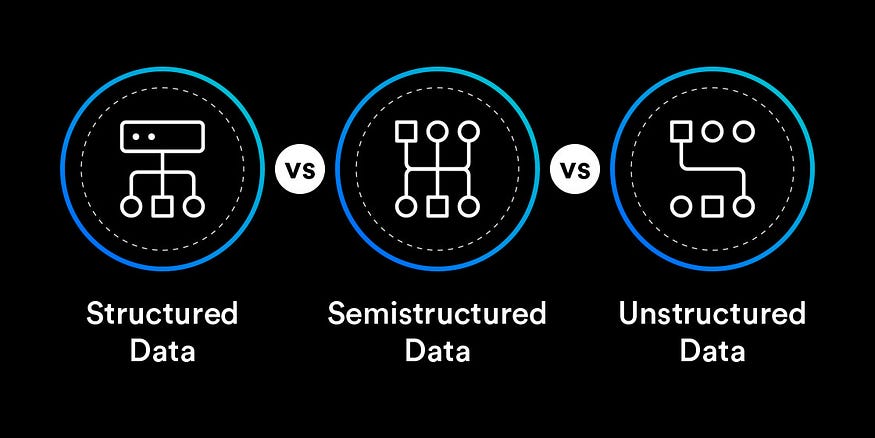
Zoom image will be displayed

Definition: Structured data is highly organized and formatted in a way that is easily searchable, typically stored in fixed fields within a database. It follows a predefined model or schema.

Characteristics:

Organized in rows and columns.

Conforms to a data model or schema.

Easily searchable, queryable, and analyzable.

Examples include data in relational databases, spreadsheets, and CSV files.

Zoom image will be displayed

Definition: Semi-structured data does not fit into a rigid schema like structured data but still has some organizational properties. It may contain tags, markers, or a hierarchical structure.

Characteristics:

May lack a formal structure but has some organizational elements.

Can be parsed and processed using tools like XML or JSON parsers.

Examples include XML files, JSON data, log files, and NoSQL databases like MongoDB.

Zoom image will be displayed

Definition: Unstructured data lacks a predefined format or structure. It is typically raw and not easily searchable or analyzed without specialized tools.

Characteristics:

No predefined structure or format.

Includes text-heavy content like emails, social media posts, videos, images, audio files, etc.

Requires advanced analytics techniques like natural language processing (NLP) or machine learning to derive insights.