- Create Access database (e.g student)
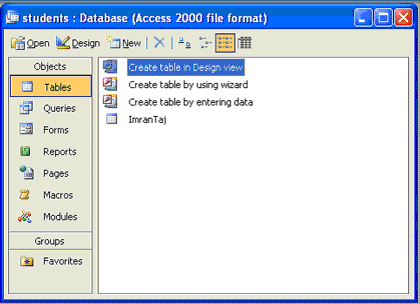
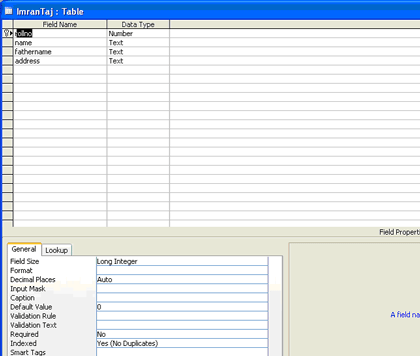
- Now open you notepad and click on save As button. Name then Imran.hdl. Change save type "ALL FILES".
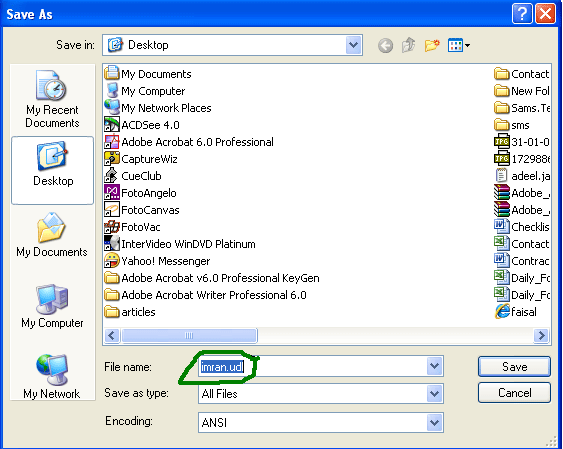
- Now double click on imran.udl file. A wizard will start like this:
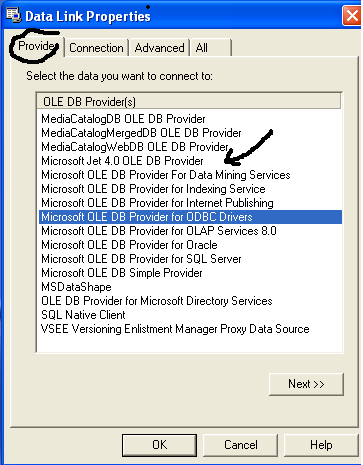
- Click Provider TAB, select Microsoft Jet 4.0 OLE DB (denoted by black arrow) then click next. Now click "Select or enter a database name" and select the desire database then click open.
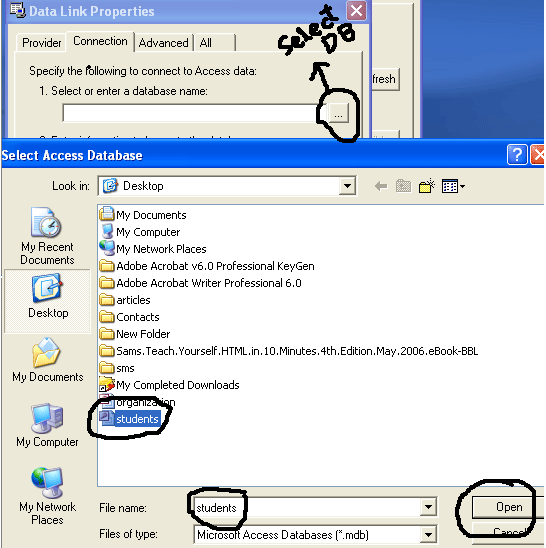
- Now click on test connection and click OK
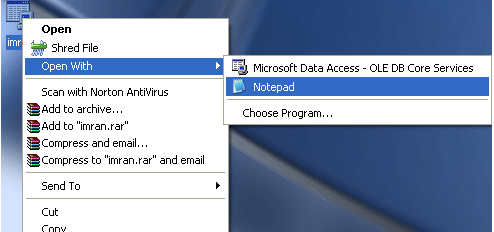
- Now edit this UDL file with note pad and copy link as shown below

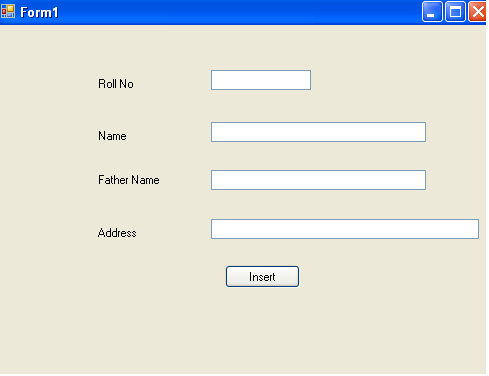
- Now Open Visual Studio editor and create Text boxes and buttons like
- Double click on the form and add some code
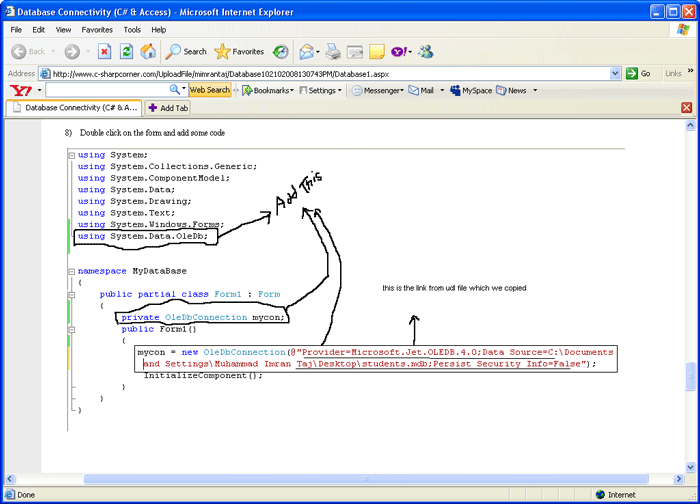
cmd.CommandText = "insert into student values(" + this.textBox1.Text + ",'" + this.textBox2.Text + ",'" + this.textBox3.Text + ",'" + this.textBox4.Text + "');";int temp = cmd.ExecuteNonQuery();if (temp > 0){ MessageBox.Show("Record Added");}else{ MessageBox.Show("Record not Added");}mycon.Close();


0 comments:
Post a Comment
Note: only a member of this blog may post a comment.