The jQuery Parent method (.parent()) returns the direct parent of the selected element.
Syntax of jQuery Parent Method
1
| $(selector).parent(filter) |
filter is an optional parameter. When used, it narrows down the direct parent search.
Example 1: jQuery Parent
1
2
3
4
5
6
7
8
9
10
11
12
13
14
| <div id="div1"> <p> <span class="spanCss">Span</span> </p> <p> <span class="spanCss">Span</span> </p></div><button id="button1">Click</button>$("#button1").click(function () { $(".spanCss").parent().css({ "color": "red", "border": "2px solid red" });}); |
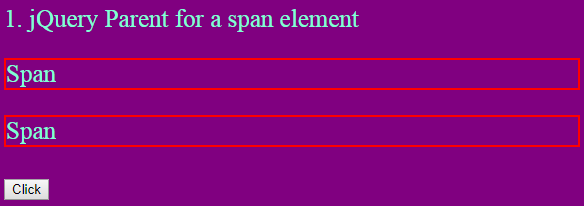
The above button click will add a red border around the 2 p elements because they are the direct parents of the elements (2 span elements).
Example 2: jQuery Parent with filter parameter
In this jQuery Parent example I will use the filter parameter. See the below code:
1
2
3
4
5
6
7
8
9
10
11
12
13
| <div id="div2"> <p class="first"> <span class="mySpan">Span of parent with class 'first'</span> </p> <p class="second"> <span class="mySpan">Span of parent with class 'second'</span> </p></div><button id="button2">Click</button>$("#button2").click(function () { $(".mySpan").parent(".first").css({ "color": "red", "border": "2px solid red" });}); |
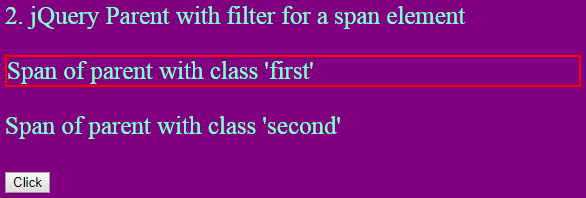
Here I have added – .first as the filter parameter and this will just add the red border around the first pelement as it is having the .first CSS class.